
Introduction
Regular trimmer maintenance helps your grooming device last longer and work smoothly. This guide explains simple cleaning, oiling, troubleshooting, and care tips to keep your trimmer performing well and becoming an easy part of your regular grooming routine.
Device Functionality and Applications
Electric trimmers use moving blades to cut hair smoothly and evenly. Understanding how these basic parts work can help you clean, maintain, and use your trimmer properly for better performance and longer life.
Primary Applications
- Trimming hair to a shorter length
- Creating clean and detailed edges
- Shaping and styling beard or hair lines
Blade Configuration
- Zero-trim blades can cut hair very short (around 0.5 mm) for a clean look.
- Adjustable guard combs let you choose different hair lengths easily.
- Most trimmers support multiple trimming lengths from 0.5 mm to 20 mm.
Expert Tip:
For detailed grooming around the moustache or neckline, use a precision trimmer attachment instead of the main blade. It gives better control and makes it easier to see what you’re trimming.

Quick Summary
Good trimmer maintenance starts with learning a few simple steps to keep your grooming device working smoothly. This quick guide covers the basics, like unplugging the trimmer, using the right cleaning tools, cleaning the blades properly, and checking that everything works correctly. Regular maintenance helps improve performance, keeps the trimmer smooth, and makes your trimmer last longer.
| Step | Action | Key Tip | Safety Reminder |
|---|---|---|---|
| 1 | Disconnect Power | Always isolate the trimmer from any charging source before maintenance | ⚠️ Avoid electric shock |
| 2 | Prepare Tools | Use a cleaning brush, microfiber cloth, and small screwdriver if required | Work on a clean, dry surface |
| 3 | Clean Blade Assembly | Remove the blade unit and brush away trapped hair and debris | Do not allow moisture near internal electronics |
| 4 | Inspect Components | Check the blade alignment and ensure no debris blocks the cutting teeth | Handle blades carefully to prevent injury |
| 5 | Battery Check | Ensure the battery is properly charged and charging contacts are clean | Avoid overcharging if the device lacks smart charging control |
| 6 | Lubrication | Apply a few drops of clipper oil along the blade teeth to reduce friction | Do not over-oil the blade assembly |
| 7 | Reassemble & Test | Secure the blade assembly and briefly power the trimmer to confirm smooth operation | Ensure all parts are firmly attached |
Quick Beginner Maintenance Checklist
If you are new to trimmer maintenance, follow these simple habits to keep your trimmer clean, smooth, and long-lasting.
- Clean the blades after every use
- Apply clipper oil regularly
- Keep the trimmer dry after cleaning
- Remove trapped hair from the blade area
- Store the trimmer in a clean and dry place
- Replace dull or damaged blades when needed
- Avoid overheating the trimmer with very long use
Visual Demonstration: Trimmer Maintenance Protocol
This demonstration shows the correct way to oil and maintain a trimmer, including how to safely remove the blades, clean out trapped hair and dirt, and apply clipper oil properly for smooth performance.
Video Source: Havells India — Havells Beard Trimmer | Maintenance Tutorial
Expert Tip: Regular oiling is one of the most important steps for keeping your trimmer running smoothly and lasting longer. Always use proper clipper oil to help the blades move easily and reduce heat caused by friction. Avoid using random oils or household lubricants, as they can damage the blades and leave unwanted buildup over time.
Operational Procedures
Using the right trimming technique can help your trimmer work better and reduce skin irritation.
- Preparation: Make sure your hair is clean and dry before trimming, unless your trimmer is designed for wet use.
- Technique: Move the trimmer upward against the direction of hair growth for more even trimming results.
- Sensitive Skin: Gently stretch the skin while trimming to reduce pulling or snagging. Rounded-tip guards are usually more comfortable for sensitive areas.
- Nose and Ear Hair: Always use special nose and ear trimmer attachments for these areas. Regular trimmer blades are not designed for safe use inside the nose or ears.

Battery & Power
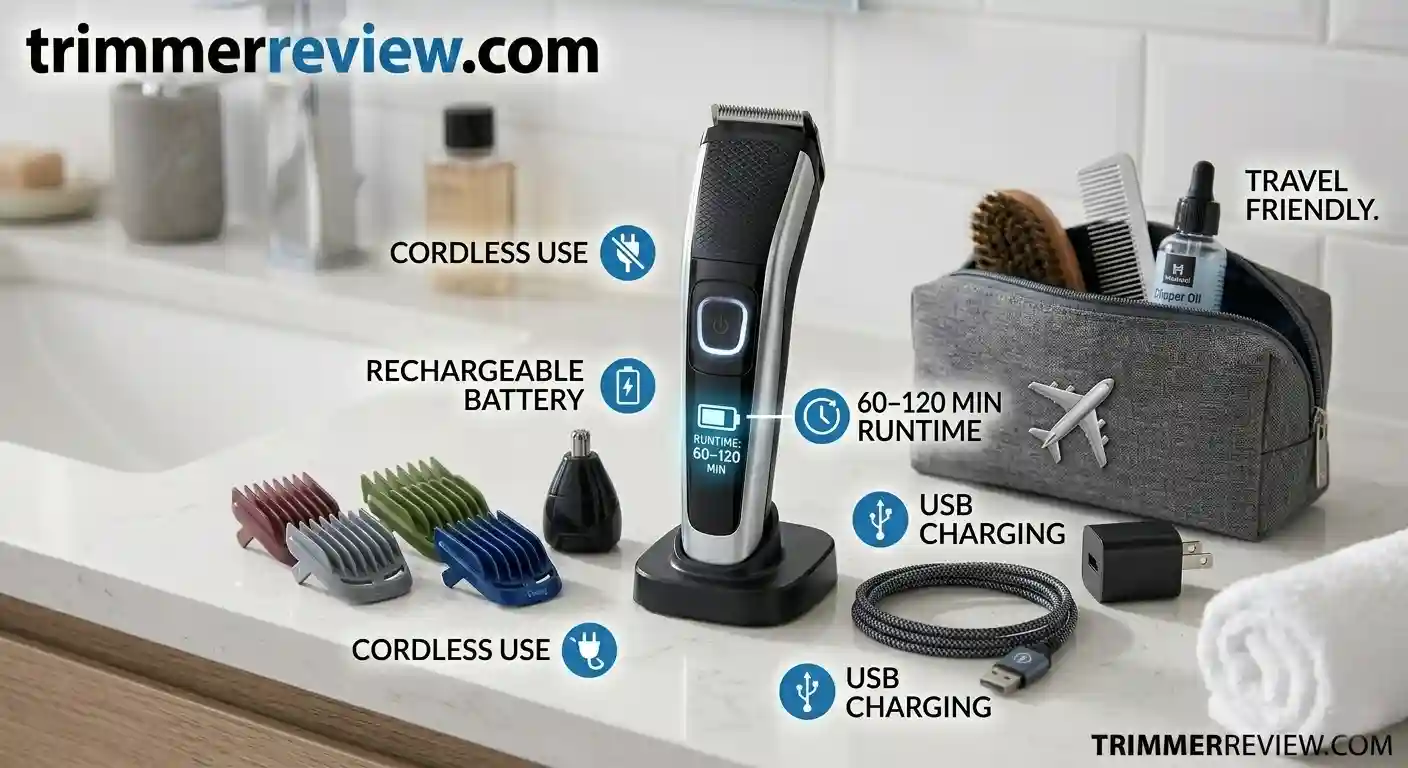
- Power Source: Most cordless trimmers use rechargeable lithium-ion batteries and usually provide around 60 to 120 minutes of usage on a full charge.
- Safe Usage: Do not use the trimmer while charging unless the company clearly says the model supports both corded and cordless use.
- Travel Friendly: Most cordless trimmers are allowed during travel and flights, as long as the battery size follows airline rules.
Maintenance, Cleaning & Troubleshooting
Regular cleaning and maintenance help your trimmer work smoothly and prevent damage to the motor and blades.
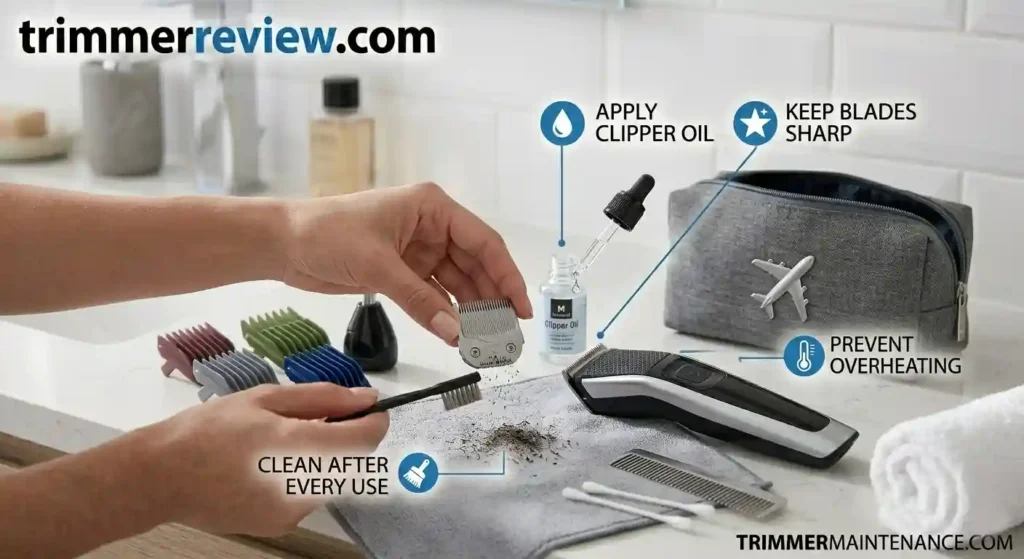
- Cleaning: Remove the blades after each use and clean out trapped hair and dirt. If the parts are washable, dry them properly before reattaching to avoid rust or internal damage.
- Lubrication: Applying a few drops of clipper oil after cleaning helps reduce friction, prevents the blades from heating up, and keeps them sharp for longer. This is one of the most important parts of trimmer maintenance.
- Note: For a deeper cleaning process, see our guide: Deep Clean Trimmer: 5 Expert Ways (2026 Guide).
Troubleshooting
- Hair Pulling: If the trimmer starts pulling hair, the blades may be dirty or dull. Clean the blades, apply a few drops of oil, or replace the blade if needed.
- Overheating: Trimmers can get warm after long use. If this happens, turn it off and let it cool down for a few minutes before using it again.
- Lifespan: With regular cleaning and proper oiling, a good-quality trimmer can work well for around 2 to 5 years.
- Note: More advanced repair techniques are explained in: How to Fix a Philips Electric Shaver at Home.

Maintenance Frequency Table
Regular maintenance helps your trimmer stay sharp, clean, and smooth over time. Cleaning the blades, adding oil, and replacing worn parts at the right time can improve performance and prevent problems like hair pulling or overheating. The table below shows simple maintenance intervals that can help your grooming device last longer and work more efficiently.
| Maintenance Task | Recommended Frequency |
|---|---|
| Blade cleaning | After every use |
| Lubrication | Every 2–3 uses |
| Deep cleaning | Monthly |
| Blade replacement | 12–18 months |
Signs Your Trimmer Needs Maintenance
- Hair pulling during trimming
- Uneven cutting
- Loud motor noise
- Blades heating quickly
- Reduced battery backup
Common Trimmer Maintenance Mistakes
- Using cooking oil instead of proper clipper oil
- Washing trimmers that are not waterproof
- Skipping regular blade lubrication
- Storing the trimmer while it is still wet
- Using dull blades for too long
- Ignoring hair buildup inside the blade area
- Not cleaning the trimmer after every use
- Overheating the trimmer with very long continuous use
Proper Trimmer Storage Tips
- Store in a dry place
- Keep away from water and humidity
- Use blade cover when not in use
- Avoid wrapping the charging cable tightly
- Charge the battery occasionally if unused for long periods
References and External Documentation
This guide is based on common trimmer care practices and information shared by trusted brands and consumer safety organizations. If you want more detailed maintenance tips, troubleshooting help, or official product information, you can check the trusted resources below:
- For official troubleshooting help, cleaning guides, and user manuals, you can visit the Philips Support Centre. Remington also provides useful product care and maintenance tips for electric grooming tools through its official maintenance resources.
- If you want to learn more about electrical appliance safety, the Consumer Product Safety Commission (CPSC) shares helpful safety recommendations for using small electronic devices at home. You can also explore Energy Star’s appliance care tips for simple advice on maintaining household electronics efficiently.
These trusted resources provide extra maintenance advice, safety information, and official recommendations to help your grooming devices stay clean, safe, and perform well for a longer time.
Key Takeaways
- Clean the trimmer blades after every use
- Apply clipper oil regularly to keep the blades moving smoothly
- Keep non-waterproof trimmers away from water and moisture
- Check blade alignment if the trimmer starts pulling hair
- Proper cleaning and maintenance can help a trimmer last for several years
Conclusion
Regular trimmer maintenance is one of the best ways to keep your device working smoothly for a long time. Cleaning the blades, applying oil, and storing the trimmer properly can help prevent motor problems and blade damage. With proper care, your trimmer can deliver better performance, last longer, and reduce the need for frequent replacements. Following a simple maintenance routine helps ensure consistent and reliable grooming results over time.
Related Guides & Expert Resources
These guides and expert resources can help you learn more about proper trimmer cleaning, troubleshooting, and long-term maintenance. They include useful tips for keeping your trimmer clean, reducing blade wear, improving performance, and making the device last longer. Reading these additional guides can help you build a better maintenance routine and get smoother, more reliable trimming results over time.
- Deep Clean Trimmer: 5 Expert Ways (2026 Guide)
- How to Fix a Philips Electric Shaver at Home in 2026: A Step-by-Step Guide
Frequently Asked Technical Questions
These common questions can help you understand how to clean, maintain, and use your trimmer properly for better performance and longer life.
Is trimming painful?
Normally, trimming should not hurt if the blades are clean, sharp, and properly oiled. Pain or discomfort usually happens when the blades become dull, dirty, or dry, which can cause hair pulling and skin irritation.
It’s better not to share trimmers with others because it can spread bacteria and cause hygiene problems.
Why is trimmer oil important?
Trimmer oil helps the blades move smoothly and reduces friction and heat. Regular oiling also helps protect the blades from wear and keeps the trimmer working properly for a longer time.
How often should I clean and maintain my trimmer?
You should clean the blades after every use and apply clipper oil regularly, especially before storing the trimmer.
Can a trimmer overheat?
Yes, trimmers can become warm after long use. If this happens, switch it off and let it cool down for a few minutes before using it again.
Why does a trimmer pull hair?
Hair pulling usually happens because of dirty blades, hair buildup, dull blades, or lack of oil. Cleaning and oiling the blades often can help fix this problem.
Is trimming halal?
In most Islamic teachings, trimming body hair and maintaining personal hygiene are considered permissible and encouraged as part of cleanliness and self-care.
Transparency & Fact-Checking
For full transparency and product information verification details, refer to the Disclaimer & Fact-Checking Policy.
Important Maintenance Disclaimer
Maintenance steps may vary slightly depending on the trimmer brand and model. Always check the official user manual for device-specific instructions.
